
Portfolio Module
Walk Through
Team Size: 1
Team Role: Programmer
Platform: Windows
Genre: Survival
Project Duration: Jan - May2024
Engine: Unreal Engine 5.2
Research into Games
Code Screenshots
Outsource Credit Youtube Channel: 3 Prong Gaming
Outsource Credit Icons: https://www.flaticon.com
Project Description
"For this Module I chose to do a mechanic as I wish to overall increase my knowledge for visual scripting as it was one of my week points. While also wanting to gain an understanding of how to properly document and communicate to other disciplines for future projects. I ultimately did this as I aspire to be a Producer/lead level designer in the future. To achieve this goal, I need to know how each discipline truly operates in addition how they would wish to receive any documentation from other disciplines to make workflow to constantly smooth and effective."
Main Responsibilities
I was tasked to create an artefact of my choice. I chose to opt in for a crafting system as I have always been fascinated with how they work. Also, I believe it would allow myself to work with multitudes of different code with unreal so I could gain a better understanding of how it all works. My main goal for this module is to improve my overall technical ability while also wanting to create a modular system. Because I would like to understand the fundamentals so my communication towards the technical side can be more effective as well as being more specific of how it connects with other systems. This is my first time trying to make a modular system which had it’s fair share of
challenges:
-
Code has never been my speciality and I have always struggled with understand what all the nodes do in Unreal.
-
I have also always lacked confidence in just messing around with code and getting stuck in by myself causing me to always depend on others.
-
Final challenge was to make sure the code would be readable and understood by anyone without the explanation from myself as the code should explain itself.
Things I learnt during this process:
-
Reusable code - Functions.
-
How functions communicate between each other.
-
Parents and Child classes and how useful they can be for time efficiently and optimization purposes.
-
How to create Material instances.
-
What Enums are and how to use them.
-
How to properly use Actor Components and how amazing they can be.
-
How useful a Structure with a Data table can be.
-
What interfaces are used for and how incredibly useful they are.
Here are some screenshots I took of the working code:


This uses multiple functions within functions to make sure the crafting window is being updated when the player has enough ingredients as well as if the player is missing anything it will grey it out.
Furthermore update inventory makes sure that all widgets are displaying the correct amount of information along side that the information is being cleared when moved so you don't accidentally duplicate the same item over and over when just moving it with right click. Which happens every time update inventory is triggered which is caused by the for each loop which then takes the data from the Items array displaying it in the wrap box.
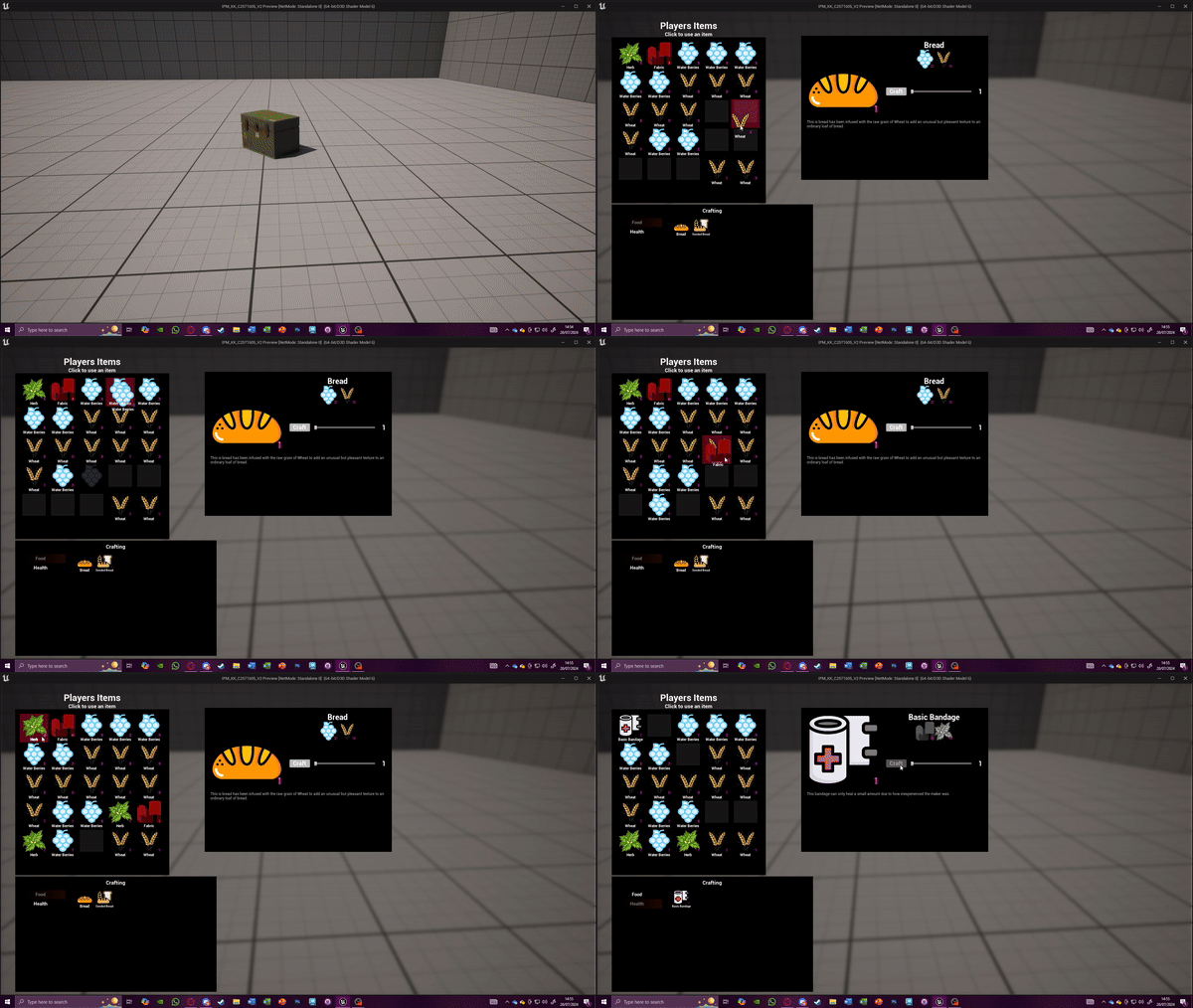
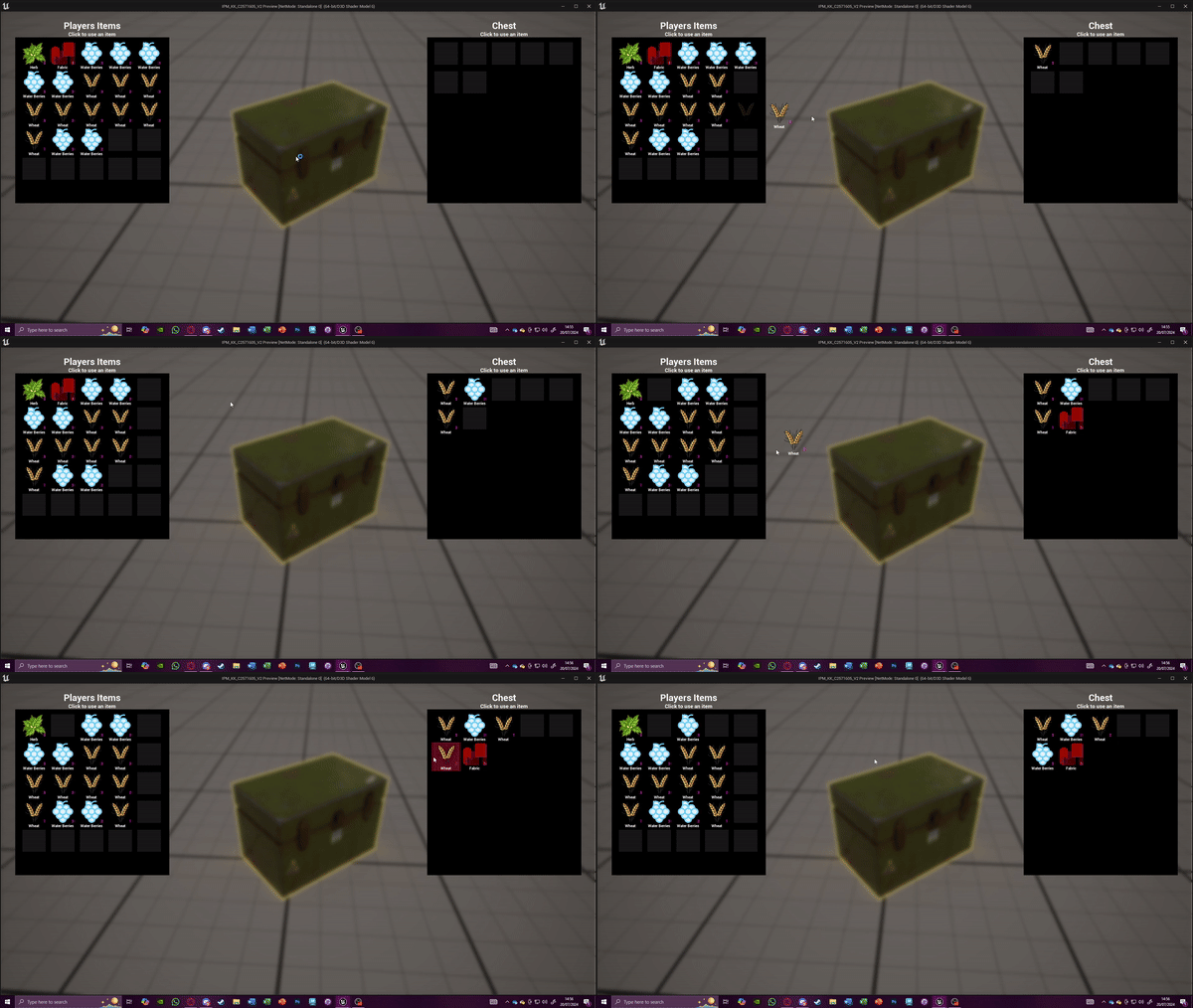
Here are some gifs of how the functionality works in regards of inventory management and the UI. This all communicates between the player with the interfaces which then communicates to the UI and creates a circular motion with each part directly communicating with each component.


Storage Functionality simple interaction function which displays the storage UI to the player. Simple set as visible is then called.

This is the Child of the craftable items BP that is also a child of BP_BaseItem. This allows the creator to add in all the right values as well as make any nessarceary changes not only for testing to see if the player can craft the items but also to then change them for balancing needs

Here are some of the functionality that is inside one of the Actor Components that allow the player to process crafted items, create a partial stack of any items and remove items when crafting


This was the first error I came across when conducting this project. Because I was following a YT tutorial I set myself the task of if I made any mistakes I would fix them on my own so I could truly grasp the code.
When reading over the code I completely forgot to plug in Owning inventory to Update inventory HUD function. This cause the system to not know what component in the players inventory could be used to craft an item.

The next issue I came across was using the wrong node within this function. This caused the crafting list at the bottom left not display the craftable items. The mistake I made was I called the wrong functionality as I named them almost the same thing which I realised was and could be an issue like shown.


This function is under the interact interface.
While the previous one was under inventory widgets interface
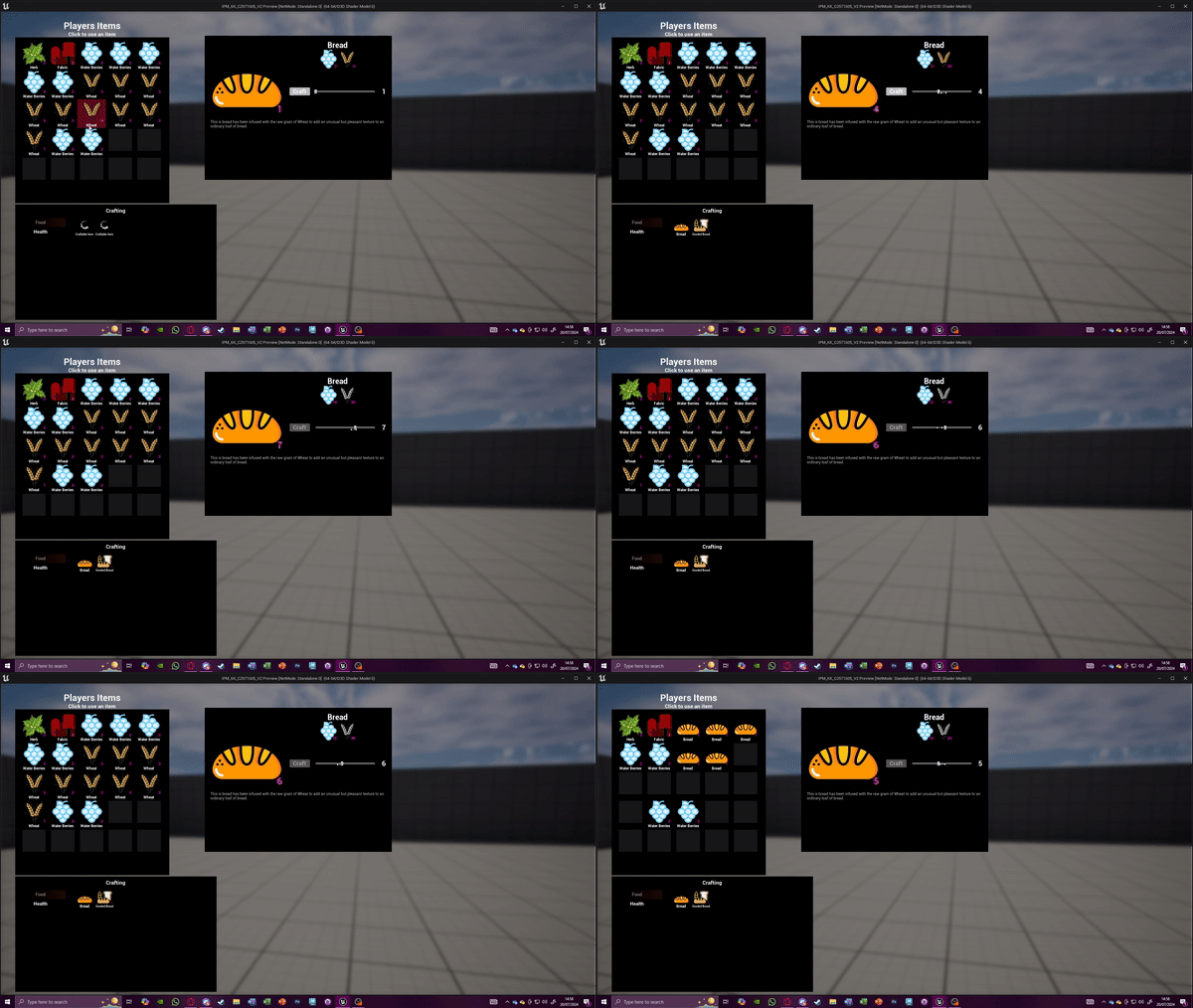
Finally here is a gif showing the crafting system working as well as the inventory management all communicating to one another removing and processing items.
